Front-Only vs Front-and-Rear Dash Cam for Daily Commuters
Deciding between a single-channel front dash cam and a two-channel front-and-rear system comes down to one question: how often are you hit from behind? This comparison breaks down published specs, install effort, and storage tradeoffs so commuters can pick the right channel count without guessing.
Disclosure
Dash Ledger is reader-supported. If you buy through our links we may earn a commission — it never changes what you pay or how we rate a dash cam.
For most daily commuters the choice is not which brand to buy first — it is whether to add a rear channel at all. A front-only dash cam is simpler, cheaper, and faster to install. A front-and-rear system records the collision you may never see coming: the driver who rear-ends you at a red light and disputes fault. This comparison is based on manufacturer-published specifications, field-of-view data, and aggregated expert and owner reviews. We did not physically install or test these cameras ourselves.
No spam. Unsubscribe anytime.
What Each Configuration Records
A single-channel front dash cam records everything ahead of your vehicle through the front windshield. Published fields of view for front-channel cameras range from 140° to 170° wide angle, covering two to three lanes. That footage documents the driver who cuts you off, runs a red light, or causes a multi-vehicle pileup ahead.
A two-channel front-and-rear system adds a second camera mounted inside the rear windshield. The rear channel records the vehicle following you, capturing plate numbers and driver behavior before and during a rear-end collision — evidence the front camera alone cannot provide. Published rear-channel resolutions typically run 1080p or 1440p, sufficient for license-plate legibility within 15–20 feet under daylight conditions per manufacturer claims.
Key Spec Differences at a Glance
| Spec | Front-Only | Front-and-Rear |
|---|---|---|
| Channels | 1 | 2 |
| Typical front resolution | 4K (3840×2160) | 4K front / 1080p–1440p rear |
| Field of view (front) | 140°–170° | 140°–160° |
| Storage demand (approximate) | 8–12 GB/hr at 4K | 14–22 GB/hr combined |
| Install complexity | Plug-and-play | Cable routing to rear glass |
| Price range (2026) | $60–$150 | $100–$250 |
| Parking mode support | Model-dependent | Model-dependent |
| GPS | Model-dependent | Model-dependent |
Evidence Value: When a Rear Channel Matters
Rear-End Collisions
National highway data consistently shows rear-end collisions account for a significant portion of all reported crashes. In most jurisdictions the following driver is presumed at fault, but disputes arise when both drivers give conflicting accounts or when the lead driver made an abrupt stop. A rear channel recording the following vehicle's speed, distance, and plate number at the moment of impact creates a timestamped, GPS-tagged record that most insurance adjusters treat as definitive.
Hit-and-Run Parking Damage
If your dash cam supports parking mode and a hardwire kit, a rear channel can also capture a driver who backs into your parked car and drives away. A front-only camera in parking mode typically covers the front bumper and the car immediately ahead — not the vehicle that clips your rear quarter panel in a crowded lot.
Intersection T-Bones
Front channels excel at documenting side-impact crashes at intersections: the vehicle that ran the stop sign or light enters the frame from the side. A rear channel adds little for this scenario since the cross-traffic comes from the side, not behind.
Install Effort: The Real Tradeoff
A front-only dash cam typically takes 15–30 minutes to install: mount to the windshield, route the power cable along the headliner to the A-pillar, plug into a USB port or 12V socket, and done. No rear-window involvement, no cable run through the headliner or along the pillar trim.
A front-and-rear system adds the rear cable run: the included connection cable (typically 4–6 meters) routes from the front unit along the headliner across the roof, down the C-pillar trim, and to the rear glass. Most manufacturers publish diagrams and include the required trim tools or cable clips. Owner reviews on aggregated sites commonly cite the rear cable run as 30–60 additional minutes of install time, with difficulty varying by vehicle type. SUVs and crossovers with long headliner paths are consistently rated harder than sedans.
Storage and Loop Recording
Loop recording overwrites the oldest footage when the card fills. A front-only camera recording 4K at a published bitrate of around 10–12 Mbps consumes roughly 4–5 GB per hour. Combined front-and-rear recording at similar quality runs 8–14 GB/hr depending on model, rear-channel resolution, and whether parking mode is active.
For a 256 GB high-endurance microSD card, that translates to:
- Front-only 4K: approximately 40–55 hours of loop footage retained
- Front-and-rear 4K+1440p: approximately 18–30 hours
The practical implication: if you commute and park in a monitored lot and have no strong need to protect the rear while driving, a front-only camera on a 256 GB card may retain more than a week of daily driving. A dual-channel setup on the same card retains less — which matters if an incident is discovered days later.
Which Cameras Fit Each Configuration
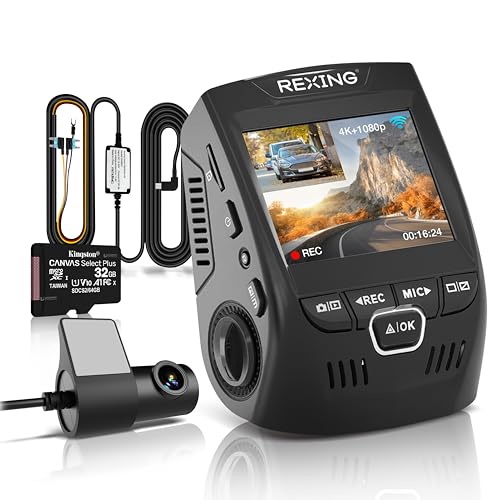
Front-only picks for commuters: 4K single-channel cameras from Rexing publish resolutions at 3840×2160 with bitrates around 10 Mbps and wide-angle front views. Based on published specs and aggregated owner reviews, they are consistently rated as a clean, affordable starting point for commuters who want documented evidence of forward collisions and do not park in high-risk areas. → View Rexing 4K dash cams
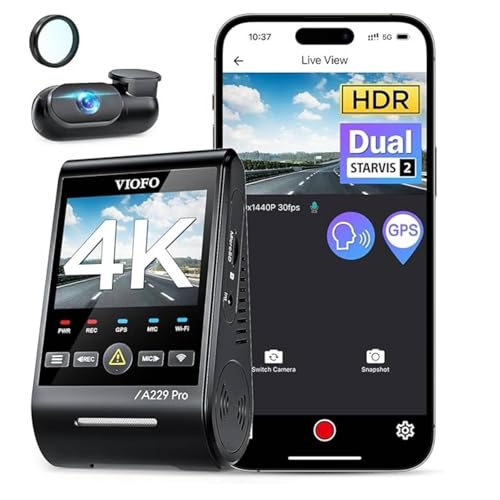
Front-and-rear picks for commuters: Viofo's 4K dual-channel models publish front resolution at 4K with a Sony-family sensor, rear channels at 1080p or 1440p, and include buffered parking mode on select models. Aggregated expert reviews rate the front image quality highly for license-plate legibility in daylight. → View Viofo front-and-rear dash cams
Verdict: What Should a Commuter Buy?
Choose front-only if:
- Your primary commute is highway driving where rear-end disputes are less common
- You park in a monitored garage or secured lot
- You want the simplest possible install and maximum loop-footage retention
- Your budget is under $100
Choose front-and-rear if:
- You stop frequently in dense city traffic where rear-end scenarios are common
- You park on city streets where hit-and-run parking damage is a real risk
- You want a single-card system that covers both collision directions
- Your budget stretches to $120–$200
For most urban and suburban commuters who stop at frequent lights and share roads with distracted drivers, the rear channel pays for itself the first time a following driver disputes an obvious rear-end fault. The install is a one-afternoon project, not a dealership visit. For highway commuters with secure parking, front-only 4K delivers better per-dollar value and more retained footage on the same card.
Specifications cited in this article are based on manufacturer-published figures and aggregated expert and owner reviews as of 2026. Real-world recording hours, night legibility, and storage use depend on bitrate settings, card speed, and temperature — not just the rated resolution.
Affiliate Disclosure