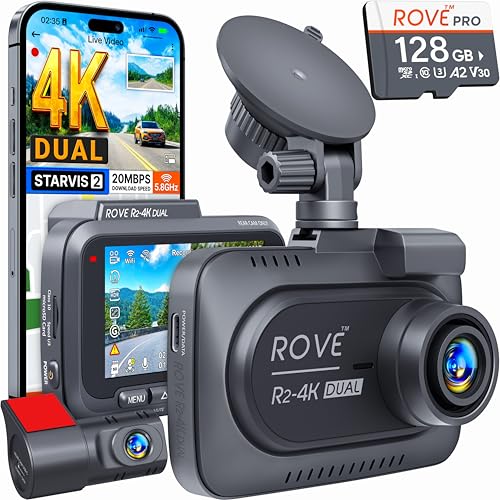
How to Hardwire a Dash Cam for Parking Mode (and What microSD Card to Use)
Hardwiring a dash cam for parking mode is the upgrade that turns a standard road recorder into an always-on vehicle protection system. This guide explains how a hardwire kit connects to the fuse box, how to set the voltage cutoff to protect your battery, and how to size a high-endurance microSD card
Disclosure
Dash Ledger is reader-supported. If you buy through our links we may earn a commission — it never changes what you pay or how we rate a dash cam. This guide is based on manufacturer-published install documentation, hardwire-kit specifications, and microSD card manufacturer data — not on a physical install we performed ourselves.
A dash cam plugged into a cigarette-lighter socket records while you drive and stops when the ignition goes off. That is fine for road-incident documentation. It is useless for protecting a parked car. Enabling parking mode requires two things: continuous power when the car is off, and storage sized to the camera's combined bitrate over the hours it will run. This guide covers both — based on published install requirements and card specifications.
No spam. Unsubscribe anytime.
Part 1: Hardwiring the Dash Cam
What a Hardwire Kit Does
A dash cam hardwire kit replaces the standard cigarette-lighter plug with a fused cable that connects directly to the vehicle's fuse box. The connection taps an always-on (constant-power) fuse circuit — one that stays live whether the ignition is on or off — so the dash cam receives power at all times.
The critical component in any quality hardwire kit is the voltage-cutoff relay (also called a low-voltage cutoff or battery guard). This relay monitors the vehicle battery voltage. When the battery drops below a programmed threshold (typically 11.6V–12.2V), the relay cuts power to the dash cam automatically, preventing the camera from draining the battery to the point of a no-start condition.
→ View hardwire kits for dash cams on Amazon
What You Need
- A brand-compatible hardwire kit (check your camera manufacturer's published compatibility list)
- A fuse-tap connector sized for your vehicle's fuse type (mini, micro-2, or ATO — check your fuse box cover or manual)
- Basic tools: trim panel removal clips (usually included in the kit), a fuse puller, and a multimeter (optional but useful)
- 20–60 minutes for a standard DIY install
The Install Process
This is a summary of the published install procedure documented by hardwire kit manufacturers. Exact steps vary by vehicle and kit:
| Step | Action |
|---|---|
| 1 | Mount the camera on the windshield in the planned position |
| 2 | Route the hardwire cable from camera along the A-pillar trim and headliner to the fuse box (typically in the driver's footwell) |
| 3 | Identify an always-on fuse circuit in the fuse box using the vehicle's fuse diagram (common candidates: interior lights, power mirror, clock circuits rated 5A–15A) |
| 4 | Pull the target fuse, plug it into the add-a-fuse connector on the hardwire kit, and seat the connector in the original fuse slot |
| 5 | Connect the ground wire to a clean metal grounding point (bolt through the vehicle body, not a painted surface) |
| 6 | Set the voltage-cutoff threshold on the kit or in the camera's firmware (11.8V–12.0V is a standard starting point) |
| 7 | Test: confirm the dash cam powers on with ignition on, confirm it remains on with ignition off, verify it cuts out when you simulate a low-voltage condition (if your kit has a test mode) |
Important: The kit's ground wire must connect to a solid chassis ground. A poor ground is the most common cause of hardwire install failure per aggregated owner forums.
Voltage Cutoff Settings
Published recommendations from hardwire kit manufacturers:
| Setting | Battery Protection | Parking Mode Duration (approx.) |
|---|---|---|
| 11.6V | Minimal — allows deep discharge | Long (6–10+ hrs on healthy battery) |
| 11.8V | Moderate — standard recommendation | Moderate (4–8 hrs) |
| 12.0V | Conservative — good for older batteries | Shorter (2–5 hrs) |
| 12.2V | Aggressive — maximum battery protection | Short (1–3 hrs) |
For a newer vehicle with a healthy battery used as a daily driver, 11.8V is the common published starting recommendation. For older vehicles, high-load vehicles, or batteries over 3 years old, 12.0V or 12.2V is safer.
Part 2: Choosing the Right microSD Card
Why Standard Cards Fail in Dash Cams
A dash cam performs continuous loop writing — overwriting the oldest footage as new footage is recorded. This generates a sustained, repetitive write pattern that is fundamentally different from a camera that takes a photo and pauses. Standard microSD cards (labeled for photography or general use) are rated for intermittent write use, not continuous write duty. Under dash cam conditions, some standard cards fail within weeks or months.
High-endurance microSD cards are published specifically for continuous-write applications — dash cams, security cameras, and body cameras. Manufacturers publish endurance ratings in hours of continuous recording, typically 10,000 to 40,000+ hours for quality cards. → View high-endurance microSD cards for dash cams on Amazon
Sizing the Card to Your Camera and Parking Hours
The right card size depends on two factors: how long you drive daily and how long you run parking mode.
Bitrate math: A camera's published recording bitrate (Mbps) determines how much storage it consumes per hour. The formula:
GB per hour = (Mbps × 3600) ÷ 8 ÷ 1024
| Camera Setup | Approximate Published Bitrate | Storage Per Hour |
|---|---|---|
| Single-channel 4K (H.264) | ~12 Mbps | ~5–6 GB/hr |
| Single-channel 4K (H.265) | ~8 Mbps | ~3–4 GB/hr |
| Dual-channel 4K+1440p | ~20–30 Mbps | ~9–14 GB/hr |
| Three-channel 4K+1080p+1080p | ~25–40 Mbps | ~11–18 GB/hr |
Sizing recommendation table:
| Use Case | Daily Drive Hours | Parking Mode | Recommended Card |
|---|---|---|---|
| Commuter, garage parking | 1–2 hrs/day | None | 64–128 GB |
| Commuter, street parking | 1–2 hrs drive + 8 hrs park | Yes (overnight) | 256 GB |
| Delivery driver | 4–8 hrs/day | 2–4 hrs | 256–512 GB |
| Rideshare, three-channel | 4–10 hrs/day | 2–4 hrs | 512 GB |
Card Speed Requirements
Published minimum speed requirements for dash cams vary. Most 4K cameras publish a minimum of U3 (write speed 30 MB/s) and A1 (random write speed 10 MB/s) rating. For three-channel cameras at high combined bitrates, A2 (random write 4,000 IOPS) is the published recommendation. Using a U1 or Class 10 card without U3 rating on a 4K camera can cause dropped frames and recording gaps.
Where to Buy the Hardware
For the full hardwire setup and storage:
- Hardwire kits: Amazon-listed hardwire kits for major brands → View on Amazon
- High-endurance microSD cards: 256 GB and 512 GB high-endurance cards rated for dash cam use → View on Amazon
- Dash cam hardware: Full dash cam selection including front-only, front-and-rear, and three-channel systems → View at Abt Electronics
Common Mistakes to Avoid
| Mistake | Consequence | Fix |
|---|---|---|
| Tapping an ignition-on fuse | Parking mode works only when car is running | Use a multimeter to confirm the fuse is always-on |
| No voltage cutoff | Battery discharge → no-start condition | Use a kit with voltage-cutoff relay, always |
| Using a standard microSD card | Card failure within weeks under continuous write | Replace with a high-endurance rated card |
| Undersizing the card for parking mode | Loop overwrites incident footage before review | Size the card to parking-mode hours × camera bitrate |
| Poor chassis ground | Intermittent power, camera resets | Route ground to a confirmed metal-to-metal bolt point |
Summary
Hardwiring a dash cam for parking mode is a 30–60 minute DIY project that transforms a road recorder into a 24-hour vehicle protection system. The requirements are simple: an always-on fuse tap, a voltage-cutoff relay, a clean chassis ground, and a high-endurance microSD card sized to your drive hours plus parking-mode hours. All of these are commodity hardware; the total accessory cost adds $40–$75 to a camera setup and eliminates the core technical barrier to effective parked-car protection.
All installation steps and specifications cited are based on manufacturer-published hardwire kit documentation and microSD card specifications as of 2026. Exact fuse box layout, fuse types, and accessory circuits vary by vehicle make and model. Consult your vehicle's service manual for always-on fuse slot identification.
Affiliate Disclosure